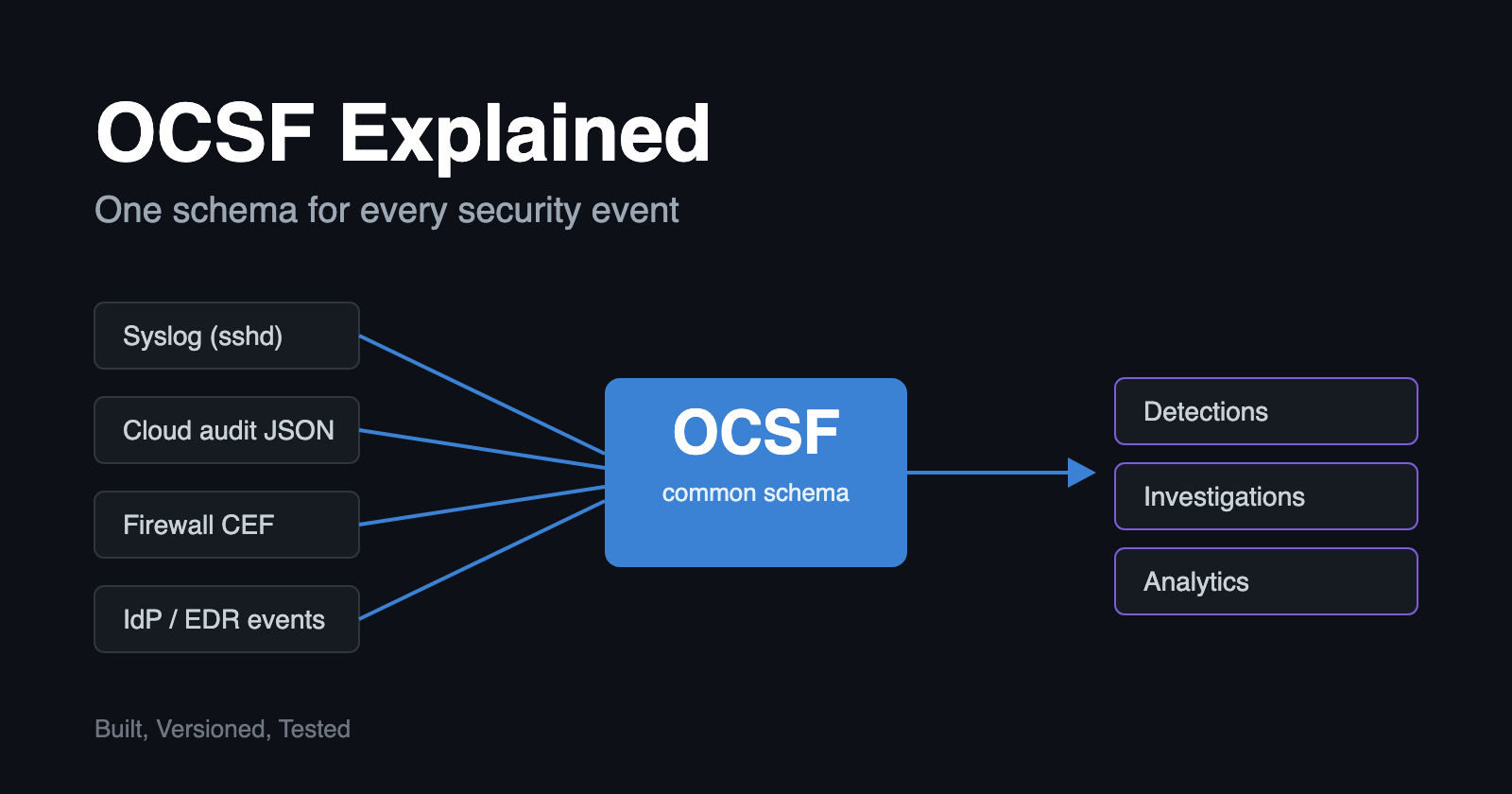
How the Open Cybersecurity Schema Framework gives security data a common language, and how to start using it.
Security teams collect more data than ever, but much of it doesn't line up. A firewall, an identity provider, a cloud platform, and an endpoint agent can all record the same event, such as a failed login. Each uses different field names, formats, and structures. Before anyone can detect, correlate, or investigate anything, someone has to translate all of it into a shape they can work with.
The Open Cybersecurity Schema Framework (OCSF) is an open, vendor-neutral standard built to remove that translation work. It defines one common structure for security events, so a failed login looks the same whichever tool reported it.
This article covers what OCSF is, how the schema is organized, what an event looks like in practice, where it fits in a security stack, and what to watch out for. It also gives you a way to try it on one of your own log sources.
In this article
- The problem OCSF solves
- What OCSF is
- The anatomy of the schema
- A worked example
- Where OCSF fits in the stack
- Who is adopting it
- How OCSF compares to other schemas
- The honest caveats
- How to get started
The problem OCSF Solves
Take one event: a user fails to log in. Depending on the tool that recorded it, the event looks different:
- The identity provider calls it actor.alternateId and client.ipAddress.
- The Linux host logs a free-text line from sshd.
- The cloud provider records userIdentity and sourceIPAddress.
- The VPN appliance uses src and usr.
- The EDR agent has its own field names for both.
All five describe the same thing: a person tried to authenticate and failed. A team that wants to detect brute-force attempts across all of them has to write and maintain five parsers, five sets of queries, and five sets of dashboards. Every new tool adds another set.
This is the normalization problem. It is one of the most expensive and least glamorous problems in security operations, and OCSF is an industry effort to solve it.
What OCSF is
OCSF is an open-source schema for security events. It defines a common vocabulary and structure for what security data looks like.
The project was announced in August 2022 by a group of founding vendors including AWS, Splunk, CrowdStrike, Palo Alto Networks and IBM Security. It has since grown into a community project under the Linux Foundation, which gives it neutral, multi-vendor governance.
The schema is developed in the open on GitHub (ocsf/ocsf-schema), and you can browse it interactively at schema.ocsf.io.
OCSF is a data model, and it is easy to confuse with neighboring standards:
- It does not move data. That is the job of Kafka, syslog, or an API.
- It does not store data. Parquet files, a SIEM, or a data lake do that.
- It does not exchange threat intelligence. STIX/TAXII are for that.
It defines what an event means and what shape it takes.
The anatomy of the schema
OCSF has a few building blocks.
Categories are broad domains, such as System Activity, Identity & Access Management, Network Activity, Findings, Discovery, and Application Activity.
Event classes are specific event types within a category. Authentication, Network Activity, Process Activity, File Activity, and Detection Finding are all classes. Each has a unique numeric ID.
Attributes are the named, typed fields. They come from a shared dictionary, so src_endpoint or severity_id carries the same meaning in every class that uses it.
Objects are reusable groups of attributes, such as user, device, process, file, and endpoint. They can be nested. A process event can contain a process object, which contains a file object, which can contain a hashes object.
Profiles are optional overlays that add related attributes to any class, such as cloud context or host context. You apply them when you need them.
Extensions let vendors and organizations define their own classes and attributes without forking the core schema. This is how OCSF keeps a stable common core and still allows for custom needs.
The numeric IDs are structured on purpose. A class ID is derived from its category, and a type ID is derived from its class plus an activity. Authentication is class 3002 in the Identity & Access Management category (3). An Authentication Logon event has the type ID 300201. These IDs make events easy to filter and aggregate without string matching.
A worked example Here is a failed SSH login as a Linux host might log it:
Jun 10 09:13:20 web01 sshd[2211]: Failed password for jdoe from 203.0.113.10 port 52144 ssh2
That is free text. You have to know the format, write a regex, and keep it working. Here is the same event expressed in OCSF as an Authentication event:
{
  "category_uid": 3,
  "class_uid": 3002,
  "activity_id": 1,
  "type_uid": 300201,
  "time": 1718011999000,
  "severity_id": 1,
  "status_id": 2,
  "user": { "name": "jdoe" },
  "src_endpoint": { "ip": "203.0.113.10", "port": 52144 },
  "dst_endpoint": { "hostname": "web01" },
  "service": { "name": "sshd" },
  "metadata": {
    "version": "1.3.0",
    "product": { "name": "OpenSSH" }
  }
}
The field names above are simplified for illustration. Check them against the schema version you are targeting before using them in production.
The payoff comes when your identity provider's failed login, your cloud console's failed login, and this SSH failure all arrive in the same shape. One query now covers all of them:
Show me authentication events with status_id = 2 (Failure), grouped by src_endpoint.ip, over the last 10 minutes.
You write the detection once, and it works against every source that maps to OCSF.
Where OCSF fits in the stack OCSF sits between your data sources and the places where you analyze them.
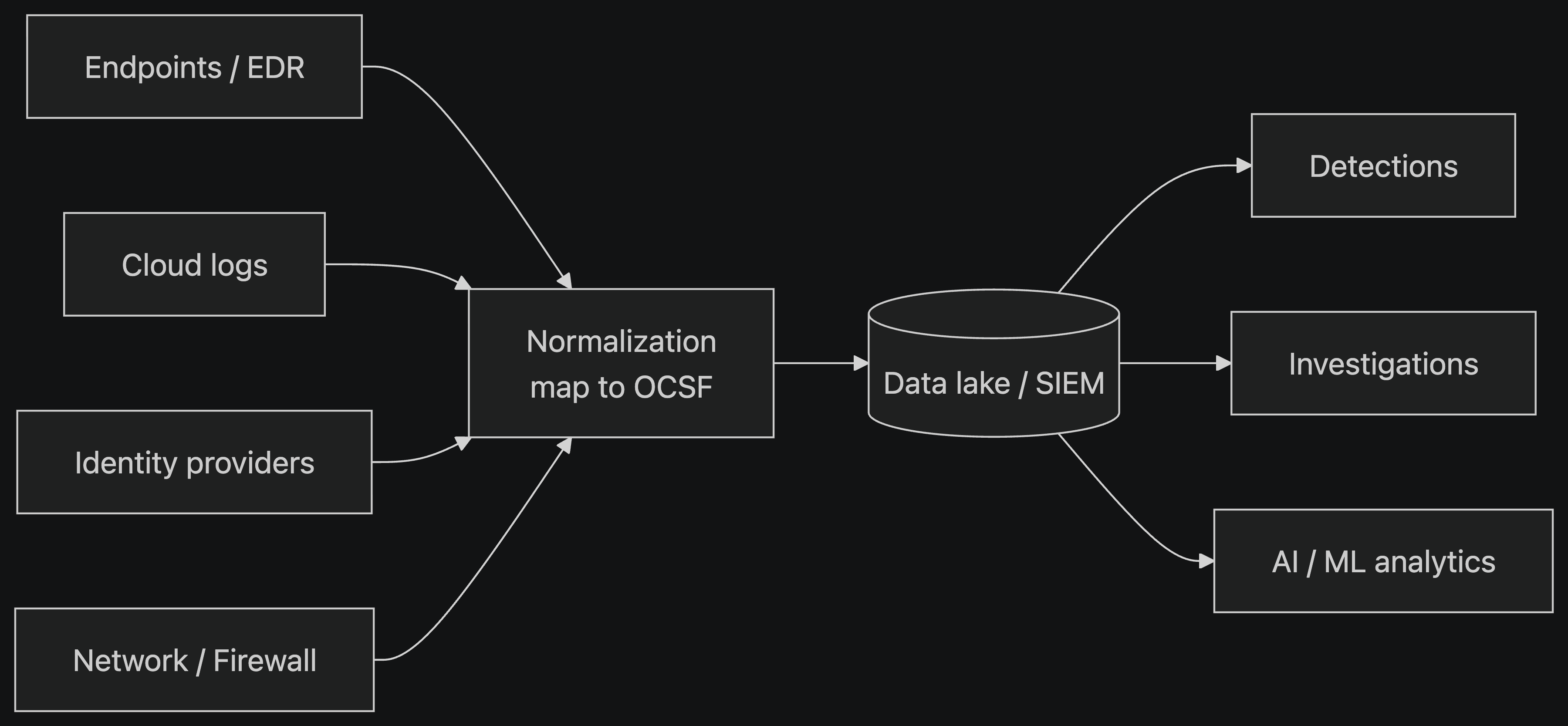
Normalization can happen in three places:
- At the source, when a vendor emits OCSF natively.
- In a pipeline, where a collector or ETL job maps raw logs to OCSF.
- At query time, inside the SIEM. The earlier it happens, the more you gain from consistency, and the less each downstream consumer has to do.
Who is adopting it
The most visible example is Amazon Security Lake, which stores security data natively in OCSF using the Parquet format, so data from many sources can be queried together. Beyond that, a growing number of SIEM, XDR, data pipeline, and security analytics vendors support OCSF as an input, an output, or both. Adoption is expanding quickly, so check the OCSF site for the current list of participants before relying on any specific tool.
How OCSF compares to other schemas
OCSF is not the first attempt at this problem.
| Model | Origin | Notes |
|---|---|---|
| OCSF | Multi-vendor, Linux Foundation | Vendor-neutral event schema with categories, classes, and objects |
| ECS (Elastic Common Schema) | Elastic | Widely used with the Elastic stack |
| CIM (Common Information Model) | Splunk | Splunk's normalization model |
| ASIM | Microsoft | Used with Microsoft Sentinel |
| UDM | Used with Google's security platform | |
| STIX | OASIS | Different purpose: describes threat intelligence, not event telemetry |
The proprietary models work well inside their own ecosystems. OCSF's pitch is that it is designed to be neutral, so your data isn't tied to one vendor's platform. That doesn't mean OCSF replaces the others everywhere.
Many organizations will run several for a long time, and mapping between them is a common task.
The honest caveats
OCSF is useful, but it isn't magic.
- Mapping quality varies. The schema standardizes the target, but two vendors can still map the same source log differently. Consistency depends on how carefully each mapping is built.
- Versions drift. The schema evolves, and not every tool supports the same version at the same time. Teams need to track versions and plan for upgrades.
- Normalization can lose detail. Vendor-specific fields without a clean home in the schema may be dropped unless you deliberately preserve the original data. Keep the raw event, or use the unmapped and raw_data attributes, so you can always go back to the source.
- It doesn't fix bad data. If a source logs little or logs it poorly, OCSF cannot create context that was never captured.
- Standards take time. Wide adoption is a multi-year process, and the ecosystem is still maturing.
How to get started
- Explore the schema. Open schema.ocsf.io and browse the Authentication, Network Activity, and Detection Finding classes to get a feel for the structure.
- Pick one log source. Choose something you already collect and understand well, such as authentication logs, cloud audit logs, or firewall logs.
- Map it. Identify the matching OCSF class, map each field, and decide where to keep anything that doesn't fit.
- Validate it. Check your output against the schema for the version you are targeting.
- Write one detection against it. Take a query you currently run per source and rewrite it once against the OCSF fields. That is where the value shows up.
- Get involved. The project is open, and it welcomes contributions to the schema, mappings, and documentation.
The takeaway
Most security teams don't struggle for lack of data. They struggle because the data doesn't agree with itself. OCSF doesn't generate new telemetry or find new threats. It reduces the engineering work between collecting data and using it, and that work is repeated, with small variations, in nearly every security team.
If the industry converges on a shared schema, detections become portable, tooling becomes more interchangeable, and analysts spend more time investigating and less time parsing.
One schema won't fix everything, but it removes one of the most repetitive jobs in security engineering.
Comments
Join the discussionNo comments yet. Be the first to comment.